
 Free SEO audit with a revenue-ranked plan
Core Web Vitals in 2026: The Aussie Small Business Fix-It Guide
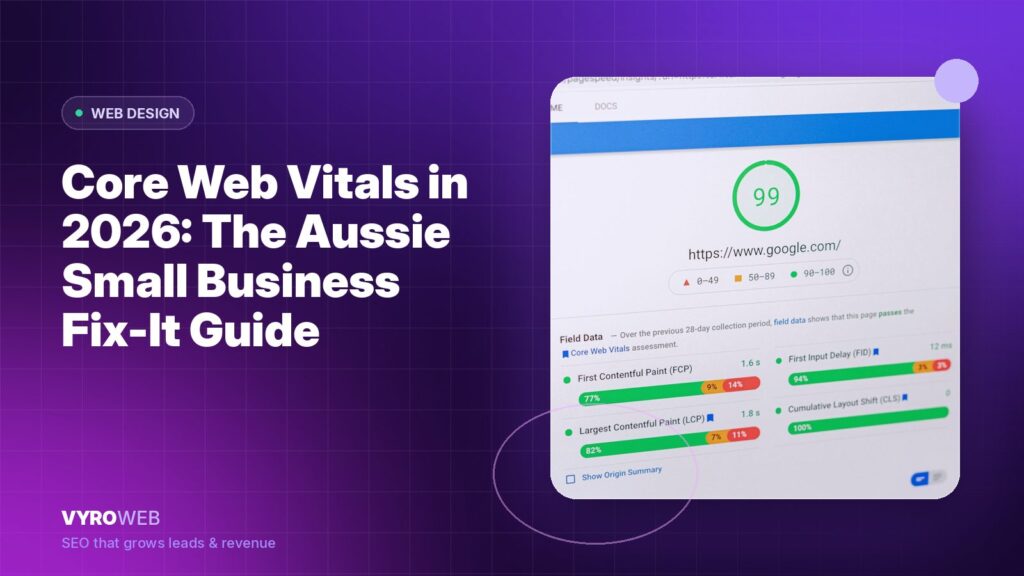
If your website takes more than 2.5 seconds to load on mobile, you have already lost 32% of the people who clicked through (Google research). In 2026, with INP replacing FID as a core ranking signal, that gap widens. Australian SMBs with slow sites are quietly losing leads they will never know about.
This guide cuts through the jargon. Here are the real Core Web Vitals targets for 2026, the 7 most common failures we see in Australian audits, and the fixes that move the numbers.
Quick Answer
Core Web Vitals are three Google metrics that measure user experience: Largest Contentful Paint (LCP) for loading speed, Interaction to Next Paint (INP) for responsiveness, and Cumulative Layout Shift (CLS) for visual stability. In 2026, the “good” thresholds are LCP under 2.5 seconds, INP under 200ms, and CLS under 0.1.
Key Takeaways
- INP replaced FID as a Core Web Vital in March 2024 and is now the hardest of the three for most sites to pass.
- Field data (Chrome User Experience Report) is what Google uses; lab data (PageSpeed Insights) is a guide only.
- 80% of Australian SMB sites fail at least one Core Web Vital on mobile.
- The fastest wins are usually image optimisation, removing unused JavaScript, and reserving space for images.
- A failing CWV score is increasingly a ranking penalty.

What Core Web Vitals Actually Measure
LCP measures how long it takes for the largest visible element to render, which on most SMB pages is the hero image or the headline block. It answers the question a visitor is actually asking in the first two seconds: has this page loaded, or should I go back. INP measures how quickly the page responds when someone taps, clicks or types, from the moment of the input to the moment the browser paints the visual response. It captures the frustrating pause after tapping a menu that appears to do nothing. CLS measures how much the layout shifts while the page settles, which is what causes a reader to lose their place or tap the wrong button because an ad or a late-loading image pushed the content down.
The three are deliberately different in kind. LCP is about speed, INP is about responsiveness, and CLS is about stability, and a site can pass two comfortably while failing the third badly. That is why a single overall performance score is misleading: it averages away the one metric that is costing you conversions.
The 2026 Thresholds
| Metric | Good | Needs improvement | Poor |
|---|---|---|---|
| LCP | under 2.5s | 2.5 to 4.0s | over 4.0s |
| INP | under 200ms | 200 to 500ms | over 500ms |
| CLS | under 0.1 | 0.1 to 0.25 | over 0.25 |
To pass Core Web Vitals, the 75th percentile of all field measurements must be in the “Good” range. Three quarters of your real users on real mobiles need to experience good performance.
INP: The Metric That Broke Most Sites
INP replaced FID in March 2024. FID only measured the first interaction; INP measures the slowest interaction across the whole session. Sites that passed FID often fail INP because the slow tap usually happens on the 4th or 5th click, not the first.
The most common INP killers: heavy third-party scripts (chat widgets, analytics, A/B testing tools), large JavaScript bundles blocking the main thread, slow event handlers on form fields, long-running animations triggered by user input. Most Australian SMB sites fail INP because they have stacked 8 to 15 third-party scripts without auditing the cost.
Pro Tip: Open your site in Chrome DevTools, go to the Performance tab, record a 10-second session of clicking around like a real user. Look at any task longer than 50ms. That is your INP problem, in colour.
The 7 Most Common Failures on Australian SMB Sites
- Unoptimised hero images. The classic case is a 4MB JPEG served at 2400px wide and displayed at 1200px, so the visitor downloads four times the data they can actually see. This is almost always the single largest LCP contributor on an SMB site, and it is also the cheapest to fix: convert to WebP or AVIF, size it to the largest display width, keep it under 200KB, and preload it so the browser does not discover it late.
- Render-blocking JavaScript. Tag managers, A/B testing tools and chat widgets loading synchronously in the head, each one holding up the first paint while it fetches and executes. The fix is rarely removal, it is deferral: load what the page needs to render first, and everything else after. A chat widget that appears at 3 seconds instead of 0.4 seconds costs you nothing and saves the LCP.
- Web fonts loaded badly. Without font-display: swap the browser hides text until the custom font arrives, producing a flash of invisible text and a slow LCP. With swap but no matched fallback metrics, the text appears in a fallback and then reflows when the real font loads, producing layout shift. You need both: swap enabled and a fallback stack whose sizing roughly matches the web font.
- Missing image dimensions. Images without explicit width and height attributes give the browser no way to reserve space, so everything below jumps down when the image finally loads. This is the most common CLS cause and one of the easiest to fix, since modern browsers only need the intrinsic dimensions to calculate the aspect ratio, not fixed pixel sizing.
- Heavy page builders. Elementor and similar builders generate deeply nested DOM structures and ship their own JavaScript and CSS on every page, whether the page uses those features or not. You do not necessarily need to abandon the builder, but you do need to disable unused widgets and features, avoid nesting sections more than a few levels deep, and check what the builder is loading on your simplest pages.
- Slow hosting. Budget shared hosting frequently returns a time to first byte of over a second for Australian visitors, often because the server sits overseas. Every millisecond of TTFB is spent before the browser has even seen your HTML, so no amount of front-end optimisation can recover it. If TTFB is consistently above 600ms, hosting is the fix and everything else is a distraction.
- Too many third-party scripts. This is the biggest INP killer on Australian SMB sites, and it accumulates invisibly: a chat widget, a heatmap tool, two analytics platforms, a review widget, a booking embed, a pixel for each ad platform. Each was added for a good reason and none were removed. Audit the list annually and delete anything nobody has looked at in six months.
The Fixes That Actually Move the Numbers
LCP fixes: compress and resize the hero image (WebP or AVIF, under 200KB); preload the LCP image; use a CDN with Australian edge nodes (Cloudflare, Bunny, Fastly); eliminate render-blocking JavaScript; upgrade hosting if TTFB exceeds 600ms.
INP fixes: audit and remove unnecessary third-party scripts; defer or lazy-load remaining scripts; break long tasks into smaller chunks; debounce expensive event handlers; migrate heavy widgets to lazy-loaded versions.
CLS fixes: add explicit width and height to every image; reserve space for ads and dynamically inserted elements; configure font-display: swap properly; avoid inserting content above existing content.
Most Australian SMB sites can move from “failing” to “passing” in 2 to 3 weeks of focused work. Our web design and development service ships every Australian build with Core Web Vitals green from launch day.
Prioritising Fixes by Effort Against Impact
Most Core Web Vitals reports produce a list of thirty recommendations with no sense of which three matter. This is roughly how the work sorts for a typical Australian small business site.
| Fix | Effort | Typical impact | Metric |
|---|---|---|---|
| Compress and resize the hero image | Low | High | LCP |
| Add width and height to images | Low | High | CLS |
| Set font-display: swap | Low | Medium | LCP, CLS |
| Defer non-critical third-party scripts | Medium | High | INP, LCP |
| Preload the LCP image | Low | Medium | LCP |
| Remove unused plugins and widgets | Medium | Medium | INP |
| Move to faster hosting or add a CDN | Medium | High if TTFB is poor | LCP |
| Rebuild heavy page-builder templates | High | High | INP, LCP |
Work top to bottom. The first three items are usually a single afternoon and frequently move a failing page into the passing range on their own.
Four Myths Worth Retiring
- A PageSpeed score of 90 means you pass. It does not. The score is lab data from a simulated device. Google ranks on field data from real Chrome users, and the two routinely disagree by a wide margin.
- Core Web Vitals outrank content. They do not. Performance is a tiebreaker between comparable pages, not a substitute for being the best answer. A fast page with thin content still loses.
- Fixing it once is enough. Performance regresses. Every new plugin, tracking pixel and hero image nudges it back, which is why this belongs in your monthly checks rather than in a one-off project.
- Desktop scores count. Google assesses mobile field data for the mobile index. Passing on desktop while failing on mobile is functionally the same as failing.
How to Measure Properly
Lab data tools (PageSpeed Insights, Lighthouse, WebPageTest) are instant and repeatable but not what Google ranks on. Field data tools (Chrome User Experience Report, Google Search Console, PageSpeed Insights when CrUX data is available) are what Google uses to rank, but lag by 28 days.
The right workflow: use Search Console to find failing URLs; use PageSpeed Insights for field data and lab opportunities; use Lighthouse + Chrome DevTools to diagnose and fix; re-test in lab; wait 28 days for CrUX field data to confirm.
FAQ
Are Core Web Vitals a ranking factor in 2026?
Yes, though the weighting is modest and often overstated. Core Web Vitals form part of Google’s page experience signals, and they act mainly as a tiebreaker between pages of comparable relevance and quality. The stronger commercial argument is conversion rather than ranking: slow pages lose a meaningful share of visitors before they ever see the content, and that cost is immediate rather than algorithmic.
What’s the difference between FID and INP?
FID measured only the first interaction; INP measures the slowest interaction across the whole session.
Can a slow website still rank #1?
Yes. If your content is clearly the best answer, a slow page can still rank first, because relevance outweighs performance. The problem is what happens after the click. A page that takes over three seconds on mobile loses a large share of visitors before it renders, so you pay the full cost of earning the ranking and capture a fraction of the value.
Does WordPress automatically have bad Core Web Vitals?
No. WordPress itself is not slow. What makes WordPress sites slow is the combination that tends to accumulate around them: a feature-heavy theme, a page builder, twenty plugins and budget shared hosting. A WordPress site on decent hosting with a lightweight theme, disciplined plugin use and optimised images passes Core Web Vitals comfortably. The platform is rarely the constraint.
How fast can I fix Core Web Vitals?
The technical fixes usually take 2 to 3 weeks of focused work. Confirmation takes longer, because the Chrome User Experience Report uses a rolling 28-day window, so Search Console will keep showing the old status for roughly a month after the work is finished. Plan for that gap and verify with lab tools in the meantime, otherwise it looks as though nothing has changed.
Do Core Web Vitals matter for local SEO?
Yes, indirectly. Combined with our local SEO playbook, a fast site amplifies every other local SEO investment.
Conclusion
Start with the 7-failure checklist. Knock down LCP first, INP second, CLS third. Use field data to verify, not lab scores to celebrate. Book a free 30-minute strategy session and we will diagnose where the seconds are going.
Related reading

Ready to Grow Your Organic Traffic?
Let VYRO build and execute the right SEO strategy for your business - from local to international.